

Prerequisites
- A Trello account
- A board in Trello, with at least one list
- The ID of the list where cards will be created. Refer to this article to locate it.
- A Botpress Cloud account and a Botpress Bot
Setup in Botpress
- Go to the Integration Hub in Botpress Cloud (if you don’t have the integration installed yet).
- Find and open the Trello integration then click on the “Install to Bot” button, now go back to your bot settings.
- Enabled: Whether Botpress will communicate with Trello
- Webhook URL: The URL for receiving data in Botpress
- API Key: The API key for the Trello Power-Up
- Token: The token for the Trello Power-Up
Setup in Trello
- Visit the Power-Ups Admin Page and click the New button to obtain the API key. Name the Power-Up as “Botpress Connector”, fill in the email and author fields, then click Create.
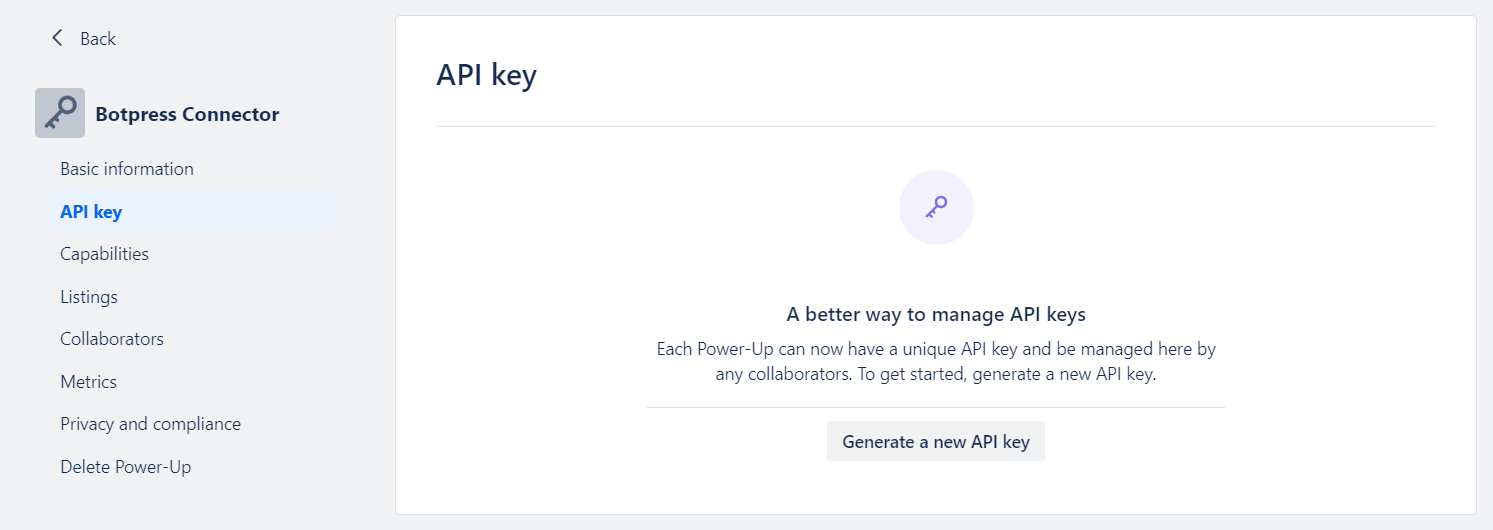
- Once the Power-Up is created, you will be redirected to API Key settings page, displayed below. Generate a new API key, then copy and paste this key into the API Key field in Botpress.
- Click on the “Token” link (marked in the image below) and authorize the Power-Up access to your Trello account by selecting Allow.
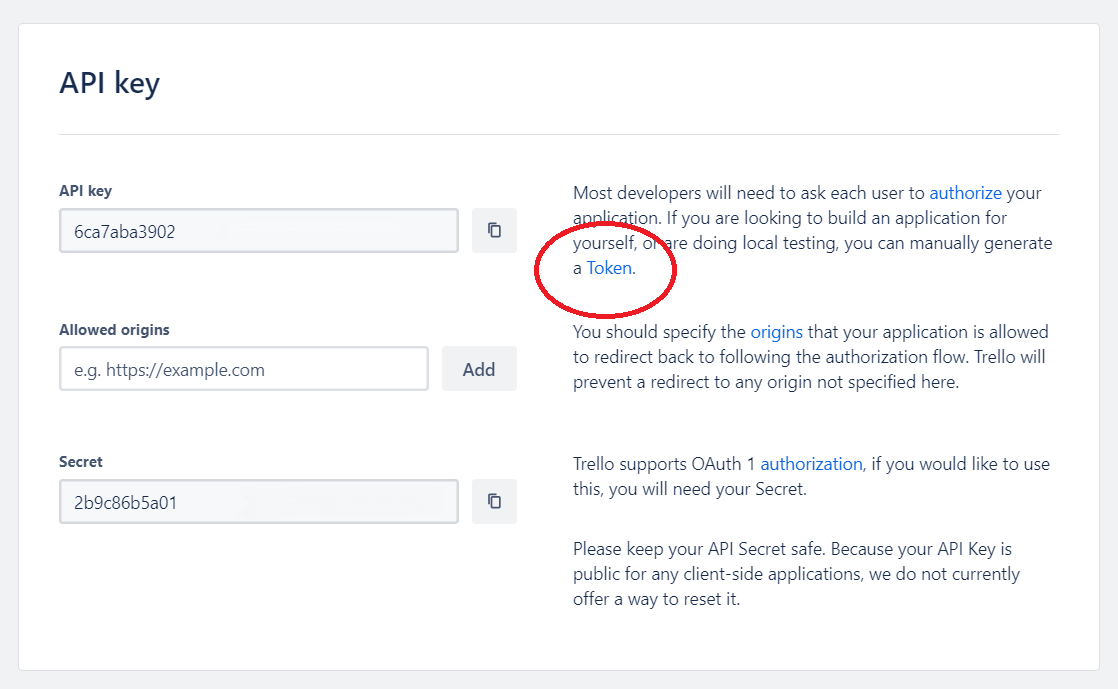
- After authorization, copy the displayed token and paste it into the Token field in Botpress.
- Make sure the integration is enabled then press the button “Save configuration”.
Cards
Here’s a reference for all Cards available with the integration:Add card comment
Board List
object
object
Board Member List
object
object
Board Member Read
object
object
Board Read
object
object
Card Create
object
object
Card Delete
object
object
This Card has no output.
Card List
object
object
Card Member List
object
object
Card Member Read
object
object
Card Read
object
object
Card Update
object
object
Create new card
Get all board members
object
Get all boards
object
This Card has no input fields.
object
Get all card members
object
Get board by ID
object
Get members by name
object
Get boards by name
object
Get card by ID
object
Find cards by name name
object
Get cards in list
object
Get list by ID
object
Get lists by name
object
Get lists in board
object
Get member by ID or username
object
List List
object
object
List Read
object
object
Move card down
Move card to another list
Move card up
Update card
object
Triggers
Here’s a reference for all Triggers available with the integration:Attachment added to card
Label added to card
Member added to card
Card Created
object
Card Deleted
object
Card Updated
object